













The AI concierge that looks after the trip you've already booked.
Forward your confirmations and Altair organises them into a day-by-day itinerary, then flags what's missing before you're standing at a gate finding out.
The problem
Trip admin is scattered by default.
A trip lives across five inboxes, three apps and a notes file. Flights in one confirmation, hotels in another, activities booked somewhere else entirely, and nothing that tells you what is actually happening on day four.
Altair turns that mess into one trip, with every booking connected.
Most travel apps help you choose. This one checks.
Three things Altair keeps on top of automatically, none of which you have to remember to ask for.
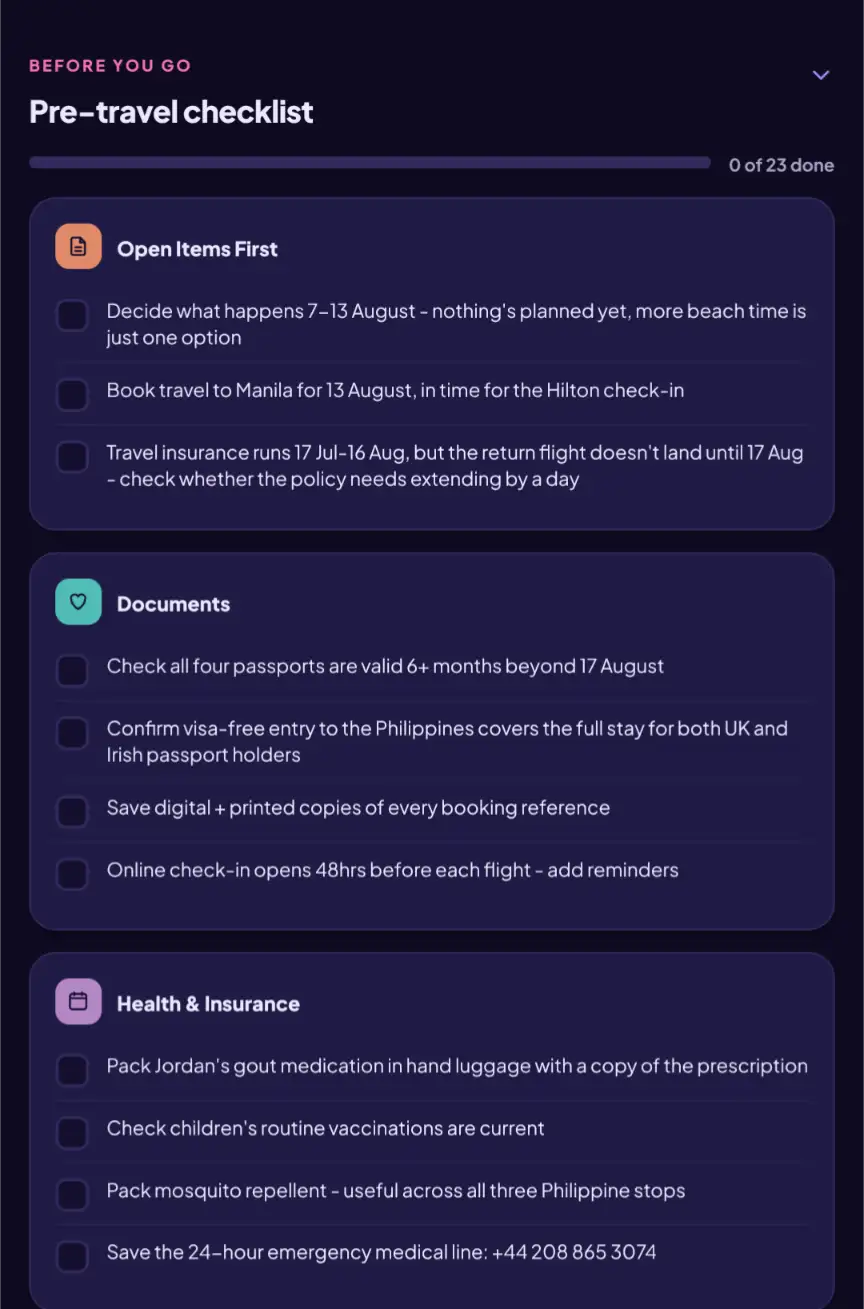
Passports, travel money and every important document, organised in one place.
Altair keeps track of passport expiry, travel money and the documents a trip depends on — organised by traveller, so a problem surfaces early instead of at the airport.
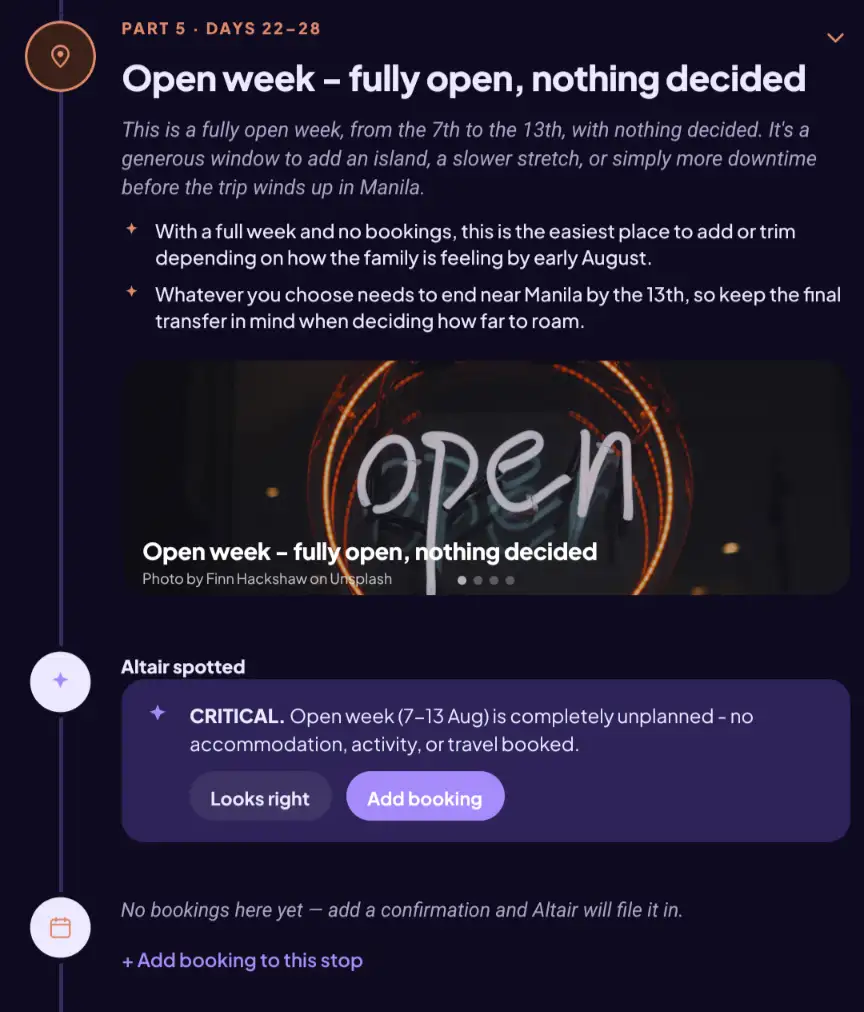
Every gap in the trip, found — and simple to fill.
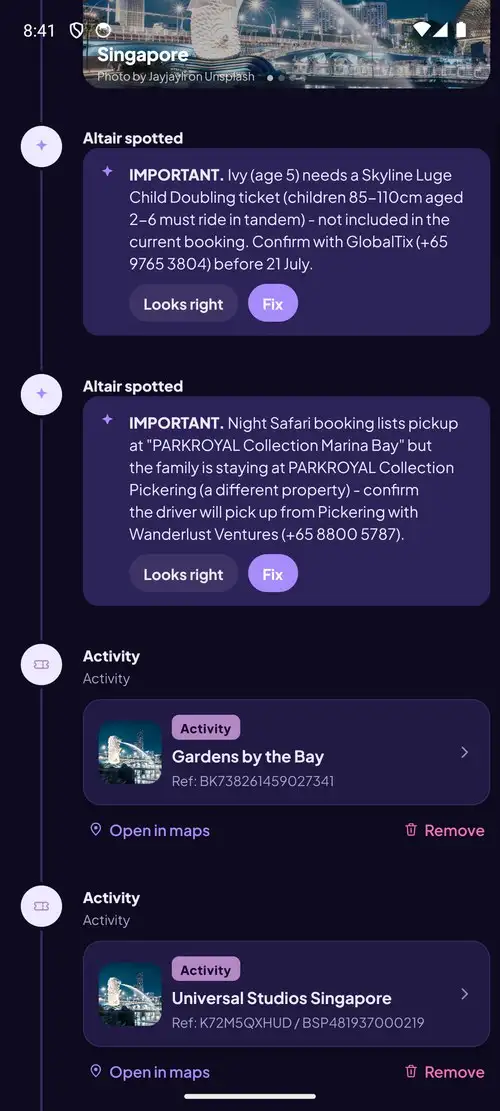
Altair reads every booking and spots the gaps between them, then helps close them on the spot — with real flights, hotels and activities from Altair's booking partners, so the trip gets finished, not just flagged.
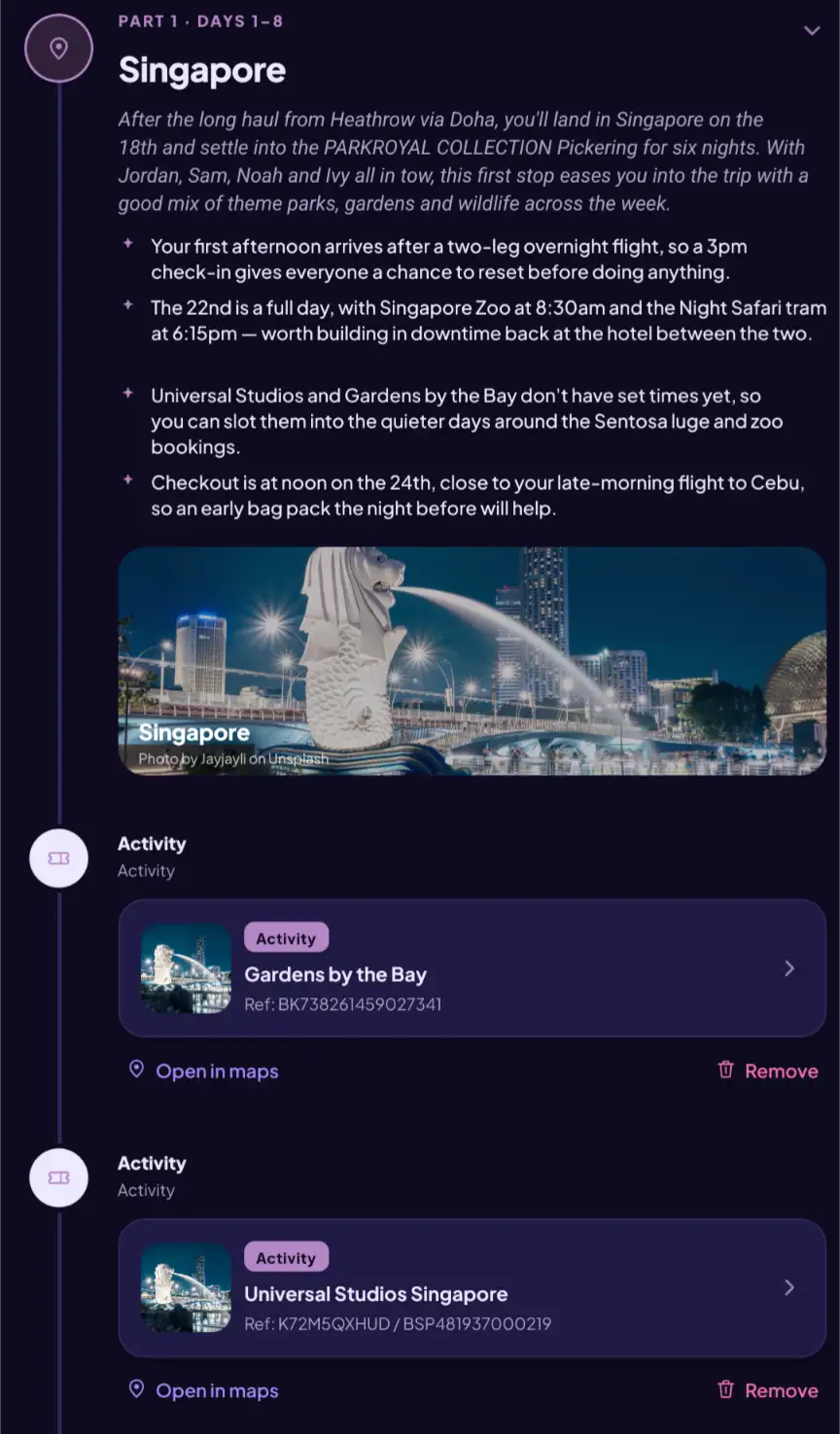
Every booking, organised into one plan — and easy to share.
Flights, hotels, activities and more are recognised automatically and turned into a clear plan, ready to share with everyone travelling with you.
How it starts
Forward a booking, and Altair takes it from there.
Paste the text, forward the attachment, or ask a question in plain English. No account needed to try it.
What you get
Everything from the trip list to the printed page.
On the website and in the app, reading the same trip.
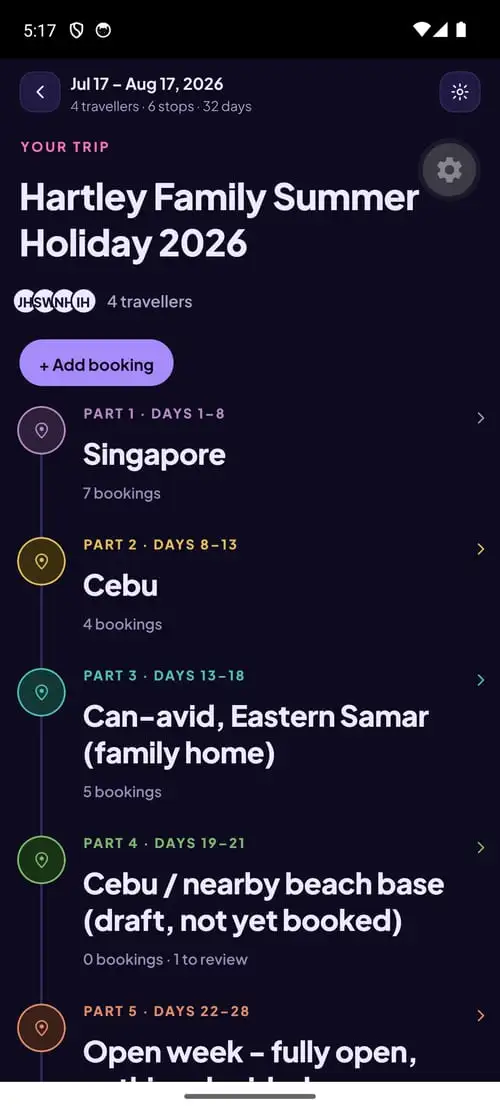
Every trip, laid out end to end.
Open a trip and its stops are already in order — dates, a booking count for each, and the parts still to sort flagged. Nothing to dig for.
A day by day itinerary that writes itself.
Typed cards for each booking, a short written narrative for every stop, real photography for the place, and the weather it is likely to be.
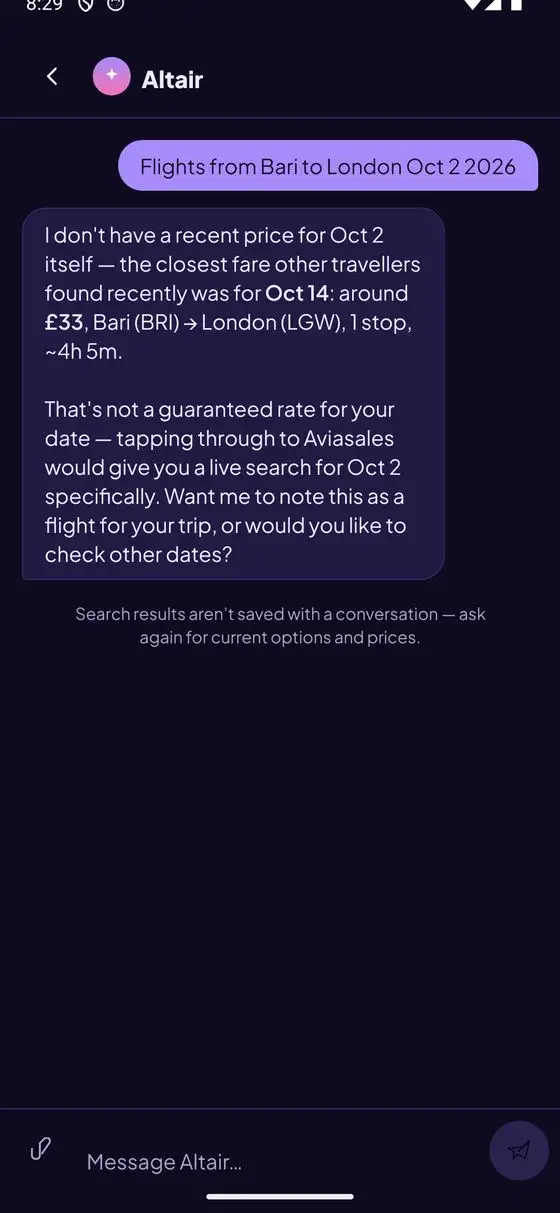
A concierge that has read your bookings.
Ask about a connection, a gap, or what to do on a free afternoon. It answers using your actual trip, and brings back real hotel and activity prices when they help.
 ViatorActivities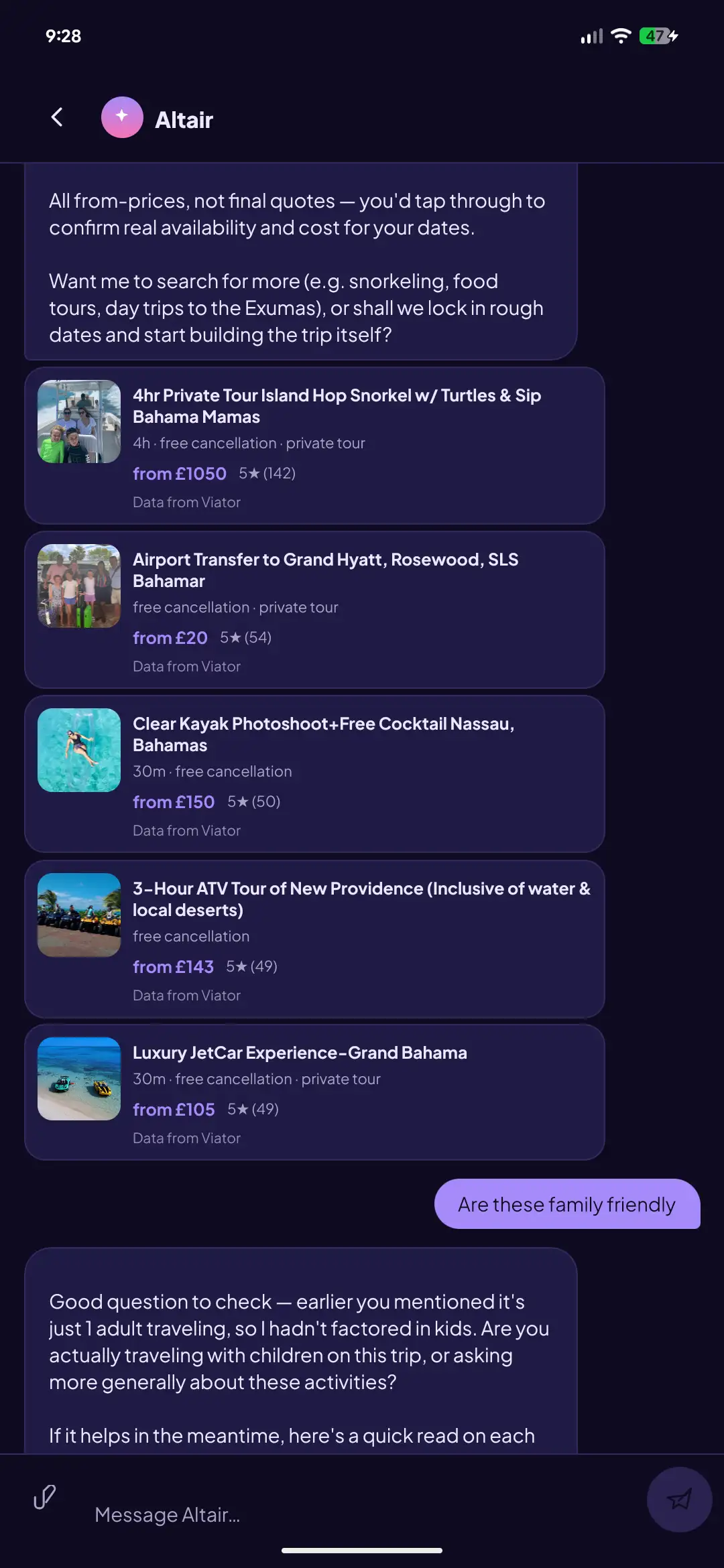
Every stop, written up properly.
Not a list of bookings. A page per destination with the photography, the plan, the practical detail, and the appendix that holds every reference.

Published to a link anyone can open.
Nine designs to choose from. Hide the prices if you would rather the family did not see them. Works with no account and no app, and prints cleanly.

And the rest of it.
Travellers and documents
Passport expiry and nationality per traveller, so visa and validity problems surface early.
Multi family groups
Two or more families on one trip, each with its own group and lead contact.
Pre travel checklist
Seeds itself from the trip you actually have. Money, packing, and the final week.
Trip calendar
A month grid with stays as runs and every unbooked night marked.
Photography for every stop
Sourced automatically for each destination, so a design always has something to work with.
Share and collaborate
Invite someone to a trip, publish a read only link, or unpublish it again in one tap.
Three ways to see it, page by page
Altair turns your fragmented bookings into one beautifully designed brochure.
Not a shared link — a full publication: a cover, a page for each destination, the calendar with its gaps marked, every booking reference, and a pre-departure check, redrawn in any of Altair's nine designs. Below are three, shown with real page captures. Every one personal to your trip, shareable with a link, and clean enough to print.
Cream & forest editorial
The Field Almanac
Field guide typesetting, forest green against uncoated cream.
On your phone
The website does everything. The app adds what only a phone can.
Photograph a confirmation at the desk instead of forwarding it later. Keep the itinerary when there is no signal. Get a reminder two days out and again the night before.
Get the app
Altair’s Android app is live in closed testing on Google Play — invite-only, and it needs an Android phone or tablet. On iPhone it’s on the App Store, free for anyone. Either way, Altair also runs fully in the browser.
On the tester list
Open the opt-in, tap Become a tester, install Altair Go from Google Play.
Open the Play opt-inWant to join the test
Send us the Google account your phone uses for the Play Store — it needn’t be a Gmail address.
Request an inviteOn iPhone
No invite needed. Download Altair Go free from the App Store and sign in.
Open in the App StoreQuestions, or a link won’t open? Email hello@altairgo.com
Where to go next
Not sure where to start? Six places worth a look.






Create your free account today, and let Altair get you organised.
Start on the website, keep going in the app — the same trip, wherever you are.
When Altair suggests something worth doing, it hands you straight to the provider to book with them directly — your booking, your money, their terms.